
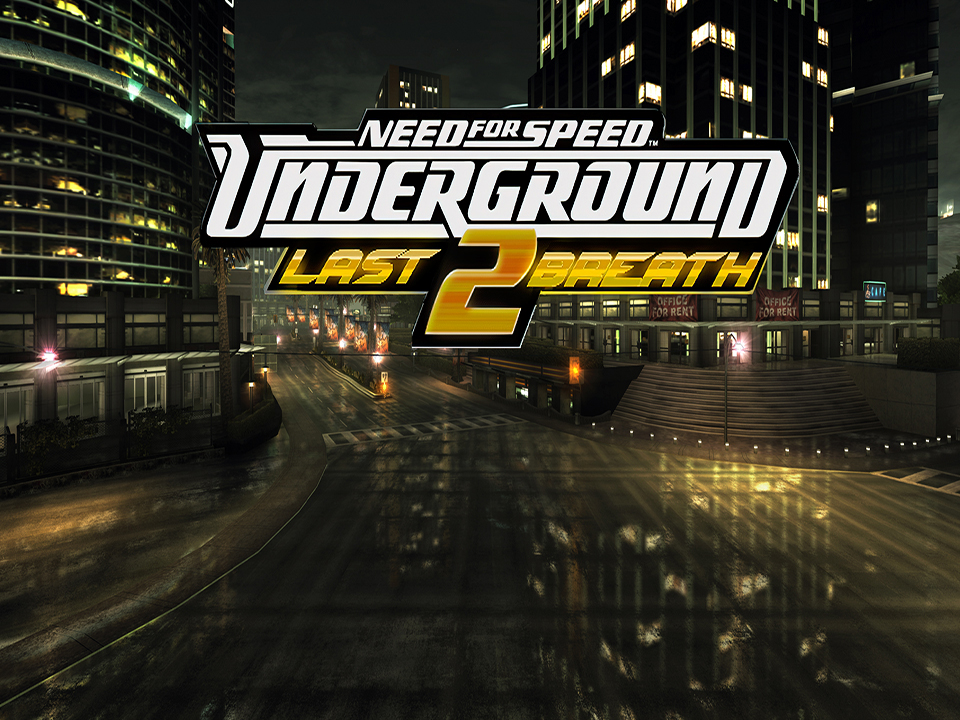
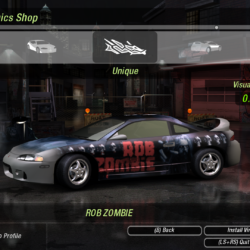
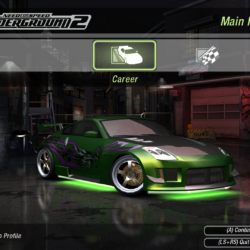
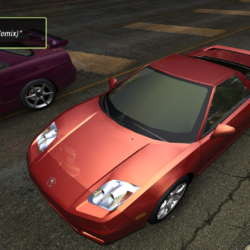
Need for Speed: Underground 2 is a Racing video game developed by EA Black Box and published by Electronic Arts released on November 15th, 2004 for Microsoft Windows.
This is a completely modded version featuring several highly recommended mods and fixes from the community. The most noticeable one from this post being the Last Breath high resolution texture replacement mod. The mod keeps the vanilla look of the game but increases the quality of the visuals for a more hires look. Another mod to increase the visual quality is the Upscaled HUD. This includes several QOL fixes for running on Windows 10/11.
Important: If you downloaded a previous version of this post, please just trash it from your computer by completely deleting it. I’ve spent several hours fixing and play testing this version to make sure it 100% works. The previous uploads for this game all had a major game breaking bug that caused the game to get stuck on loading screens. I didn’t notice it before since it would only start happening after the cars from the mods started getting unlocked during career mode. Whenever an AI car would use one of the modded cars either on free roam or a race the game would freeze indefinitely during loading. I found out it was from my botched installation of both the Olympic Imports mod and all the car mods by NFS2019. As the mods weren’t capable of coexisting. Now in this one all mods are 100% working from my extensive testing. Including all car mods. They can be picked out from car lots and driven, and the AI has no issue using them. Sorry for the trouble of making you guys keep redownloading this, but now this is 100% bug/issue free. Report any glaring issues in the comments. I’ve been playing this literally all day and haven’t had any issues.
Featured Mods:
Need for Speed Underground 2 – LastBreath by Stre1itzia – High res textures + other features (view page to learn more)
NFSU2: Upscaled HUD by LunicAura106 – High res recreation of NFSU2’s UI and HUD
NFSU2: 8K HDRI Skyboxes by BadassBaboon – High quality 8k resolution skyboxes based on the vanilla look (included only when loading through Texmod as it’s part of the .tpf package)
NFS HD Reflections by Aero_ – Higher quality autores scalable HD reflections
Pabloracer’s engine sound pack by Pabloracer – Engine sound overhaul with realistic true to life engine sounds (well, as close as the mod author could get at least)
Car Sound Tuner by nlgzef – Needed for the custom added cars and engine sound mods
[NFS U2] Animation Controller by Archie – Allows you to open various car parts in any moment (edit the .ini file in scripts to set toggle keys)NFS HD Content Support by Aero_ – Improves support for high res content (needed for the other mods)
Subaru Impreza 2.5 RS [Add-On] by NFS2019 – Better updated mod to replace the one from Olympic Imports mod
Dodge Neon Coupe [Add-On] by NFS2019 & frannco1099 – Better updated mod to replace the one from Olympic Imports mod
Mitsubishi Lancer ES [Add-On] by NFS2019 – Better updated mod to replace the one from Olympic Imports mod
Honda NSX (NA1) [Add-On] by NFS2019 – Better updated mod to replace the one from Olympic Imports mod
Acura Integra Type-R [Add-On] by NFS2019 – Better updated mod to replace the one from Olympic Imports mod
Honda S2000 (AP1) [Add-On] by NFS2019 – Better updated mod to replace the one from Olympic Imports mod
Nissan Silvia (S15) [Add-On] for NFSU2 by Darknes & MatiTheMudkip – Inserts the Nissan Silvia (S15) 1999 Spec-R into the game while staying true to the UG2 style
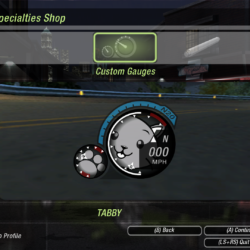
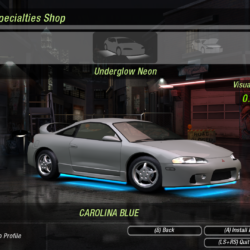
Customization Plus by KylaAngelineKZYeng – Adds a very large amount of extra vinyl, decals, neon, window tint, and other customization options to the game (view the page for the list and note that vinyls are dependent on what vehicle and a lot of vinyls won’t work with certain cars)
Unlimiter by nlgxzef – A script mod that fixes some issues and makes some improvements for added cars and events (needed for mods to work)
Extra Options by ExOpts Team – Customizable script that allows editing of several game properties (is needed for some mods as well)
NFSU XtendedInput by xan1242 (Lovro Pleše) – Plugin script to bring xinput support to NFSU games
Widescreen Fixes Pack by ThirteenAG – Fixes for running the game and displaying the FMVs for widescreen higher resolution displays
How to Run:
Extract the archive to somewhere that’s not a protected folder (like Program Files) like your Downloads folder or a folder like C:\Games\ instead. Since if you put it in a protected folder some of the mods may have issues.
To enable vibration support in the game install the xi.win7.x64.en.msi setup (x86 if using 32bit system) using the Troubleshoot Compatibility option from the right click menu in Win 10 and clicking Test the program… Chose for custom install and uncheck the install of features for the controller settings of controllers you don’t need (I only picked the top two for Xbox since I don’t have any of the others) when Windows asks if you want to apply the compatibility settings after you’re done installing just ignore and cancel it. Win 11 users may need to set compatibility to Win 7 since the Test the program option is unavailable in it. (sorry, the vibration is weak and there’s no way to configure the strength)
Launch the game using Texmod.exe by setting the target application to speed2.exe and the Package as the .tpf file. It takes a few minutes for the game to load since it’s loading the textures (this is normal)
Resolution and FMV cropping options can be changed by editing the NFSUnderground2.WidescreenFix.ini file in the scripts folder. Also, can be used to change the button prompts to PlayStation, Xbox, or PC (Xbox is what it’s set at currently)
To view (and edit) the controls for the game look in the NFSU_XtendedInput.ini file since the controls listed in the settings are incorrect and can’t be changed through it
You can edit various properties of the game using the different scripts but how I have it seems best unless you want to trick it out even further
In the display options of the game make sure level of detail is set to max and max for world detail. Pretty much just max out everything in the settings that you can. Turn on V-Sync if you like. Toggle off Over Bright and Enhanced Contrast. If you have the Texmod textures loaded properly and do all that then it should look just like my screenshots.
Note: to see the cars that have been added you’ll have to create a new profile instead of using a previous one and reload the game.
Note for non-English speakers: Install this mod (direct link to MEGA download here) to Enable multilingual support for adding French, German, Italian, Spanish, Danish, Dutch, Swedish, Russian, Korean, Traditional Chinese, and Japanese. The installation is simple and just involves extracting the files into the game directory and running a .bat script file in admin mode to pick your language.
If you would rather play the MagiPack compiled version of this, you can find it in this torrent. Use qBittorrent to download it, it’s the torrent client I always use and recommend to people.







Leave a Comment