

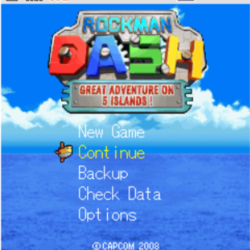
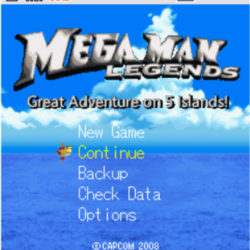
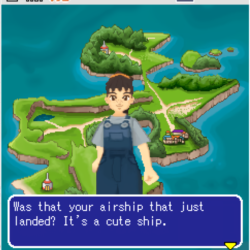
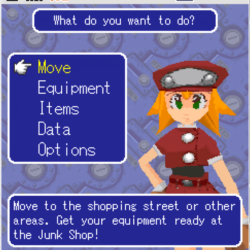
Rockman DASH: Great Adventure on 5 Islands (ロックマンDASH 5つの島の大冒険!) is a Action RPG/Action-Adventure video game published by Capcom and developed by Capcom released on 2008 for Microsoft Windows.
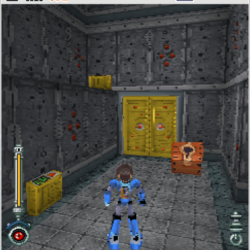
This is a mobile game released episodically starting in February 2008 by Capcom for the i-mode system of Japanese cell phones. It’s an entry in the Rockman DASH/Mega Man Legends series and is a spin-off set between the first 2 games. It features five islands, each with seven missions, and an original story including a major role for Denise Marmalade from The Misadventures of Tron Bonne. The game faithfully replicates the gameplay of Legends in 3D, with lock-on targeting, circle-strafing, special weapons crafting, NPC interactions, and sidequests. When Capcom delisted its i-mode games in 2018 this game was rendered lost until game preservationists the SciLab Secrets team obtained and preserved a copy. This game along with other games from the system can be played using Keitai World Launcher on Windows (Linux support is limited since Wine doesn’t work too well with it)
Translation Credits:
Released by: Mega Alex
Language: English
Status: Fully Translated
Patch Version: Not Numbered
Date: 28 March 2025
Source and details: https://www.rockman-corner.com/2025/03/rockman-dash-great-adventure-on-5.html
How to Run:
Install all the requirements for the launcher (the exe files alongside the zip file) and restart your computer
Unzip the launcher and save to a location such as C:\Games\KeitaiWorldLauncher It is discouraged to use the Downloads folder or any folder with many spaces since it can interfere with the application and cause errors
Launch the KeitaiWorldLauncher.exe as admin (for best results in the future create a shortcut to this exe and in properties for the shortcut in Advanced enable to launch as admin and save the shortcut to desktop or start menu) and accept its privacy policy
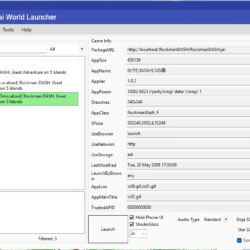
Go to the Appli tab and click the drop down box next to search to choose Fan-Translations and search and install the two versions of the patch like shown in the screenshot (it’s best to just get both since the game isn’t that big of a file)
Alternatively, you can download the game files from the post and extract the folders from the zip into the KeitaiWorldLauncher\data\downloads folder and they will be recognized as installed
Click the drop down box again and choose Installed to find and launch the game
In the Config tab you can click Key2Pad App to open AntimicroX and with a controller connected (preferably something recognized as Xbox Wireless Controller in Windows) add the file 5island.gamecontroller.amgp as a profile for the controls so you can use a gamepad
It might be best to read the article from the source for some more helpful info about this game and the launcher







Leave a Comment